Welcome to visit

News
Common Flexo Printing Issues Caused by Worn or Incorrect Anilox Rollers
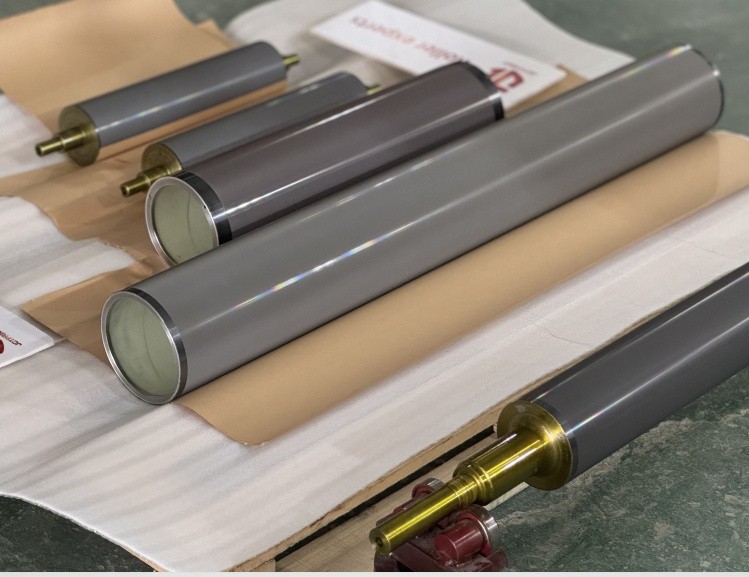
In flexo printing, many print defects are first blamed on ink, plates, or press settings. However, in real production, a large number of recurring problems are caused by worn or incorrectly specified anilox rollers.
Because an anilox roller controls ink volume and transfer consistency, even small deviations can create visible issues on the printed result. Below are some of the most common flexo printing issues linked to anilox roller condition or selection—and why they happen.
1. Inconsistent Color Density Across the Print Run
What you see:
Color looks correct at startup, then gradually fades or becomes unstable
Frequent ink adjustments are needed during production
Likely anilox-related causes:
Cell wear reducing effective ink volume
Polished cell walls caused by long-term blade contact
Inconsistent BCM across the roller surface
A worn anilox roller may still look visually clean, but its ability to carry ink has already changed. This is one of the most common hidden causes of unstable flexo printing.
2. Poor Ink Transfer and Weak Print Density
What you see:
Colors look lighter than expected
Solids lack strength even with correct ink formulation
Likely anilox-related causes:
BCM too low for the ink and substrate combination
Incorrect cell geometry for the ink type (water-based, solvent, UV)
Excessive cell wear reducing ink release efficiency
In these cases, printers often increase ink strength or pressure, which treats the symptom—but not the root cause.
3. Excessive Ink Consumption Without Better Results
What you see:
Ink usage increases, but print quality does not improve
More frequent ink replenishment during long runs
Likely anilox-related causes:
Mismatch between anilox specification and printing speed
Ink flooding caused by incorrect cell volume distribution
Compensating for worn cells by over-inking
An incorrect anilox roller often leads to higher operating costs that are not immediately linked to the roller itself.
4. Dirty Print Appearance and Loss of Detail
What you see:
Fine text fills in
Halftones lose definition
Print looks “dirty” even when plates are clean
Likely anilox-related causes:
Cell volume too high for the required resolution
Ink not fully releasing from damaged or contaminated cells
Inconsistent cell depth due to uneven wear
This issue is common when an anilox roller selected for one job is reused for applications it was not designed for.
5. Frequent Doctor Blade Wear or Blade Lines
What you see:
Shorter blade life
Streaks or lines appearing on the print
Increased blade replacement frequency
Likely anilox-related causes:
Rough ceramic surface caused by wear or improper cleaning
Cell edges damaged by aggressive blades
Poor compatibility between blade type and anilox surface condition
Blade issues are often a secondary signal that the anilox roller surface has changed.
6. Print Variations Between Presses Using “Identical” Anilox Rollers
What you see:
Same job prints differently on different presses
Anilox rollers with the same LPI and BCM perform inconsistently
Likely anilox-related causes:
Differences in actual cell geometry, not just nominal values
Wear level varies between rollers
Press condition amplifies small anilox differences
This is why relying only on LPI and BCM numbers can be misleading in flexo printing.
Worn vs Incorrect: Why the Difference Matters
Not all anilox-related problems mean the roller is worn out.
Worn anilox rollers gradually lose performance due to mechanical and chemical factors.
Incorrect anilox rollers may be new but were never suitable for the application.
Replacing a worn anilox without reviewing cleaning and blade practices leads to repeated failure.
Replacing an incorrect anilox with the same specification leads to no improvement at all.
How to Decide Whether the Anilox Roller Is the Real Problem
Before ordering a replacement, consider:
Has the print defect changed gradually or suddenly?
Are adjustments increasing over time?
Is the anilox specification matched to the current job, ink, and speed?
A professional anilox roller manufacturer can help determine whether re-specification, refurbishment, or replacement is the right solution.
Final Thoughts
Many common flexo printing issues are not caused by ink or plates, but by worn or incorrectly specified anilox rollers. Because these changes happen gradually, they are often overlooked until print quality becomes unstable.
Understanding how anilox condition affects ink transfer helps printers solve problems more efficiently—and avoid unnecessary adjustments or replacements.